Sjekkbok
Quality assurance for your own work, for tradespeople and small contractors. Keep checklists, deviations and changes where the work is done, and share the documentation as PDF when it is needed.
The app is in Norwegian only. Its checklists and procedures are written for Norwegian building practice, with the Norwegian building application regulations (SAK10) as the starting point for the standard templates.
How it works
- You choose a level, and the lists are set up for you Choose the project's QA level, and you no longer have to hunt for the right points yourself. «Byggesak» (building application) gives checklists with the points that belong when the work is part of a building application. «Byggesak og sentral godkjenning» (with central approval) gives the same, plus the points a company that holds central approval — or is applying for it — must be able to show it covers. «Egne sjekklister» (own checklists) starts with no lists set up, and you pick the ones the project needs. Finally, choose the trades the work covers. Whatever the level, you can add and remove checklists yourself, and make your own lists and templates.
- You document as you go Each point gets a status — OK or Not relevant — with photos and a comment. The site check is kept day by day. Deviations and changes are recorded where they arise, and lists are signed when they are finished.
- You share The project report is produced as a PDF, with the company's QA procedures behind it, and each checklist can be shared on its own. Notices and change notifications go to the client from your own email or SMS.
Screenshots
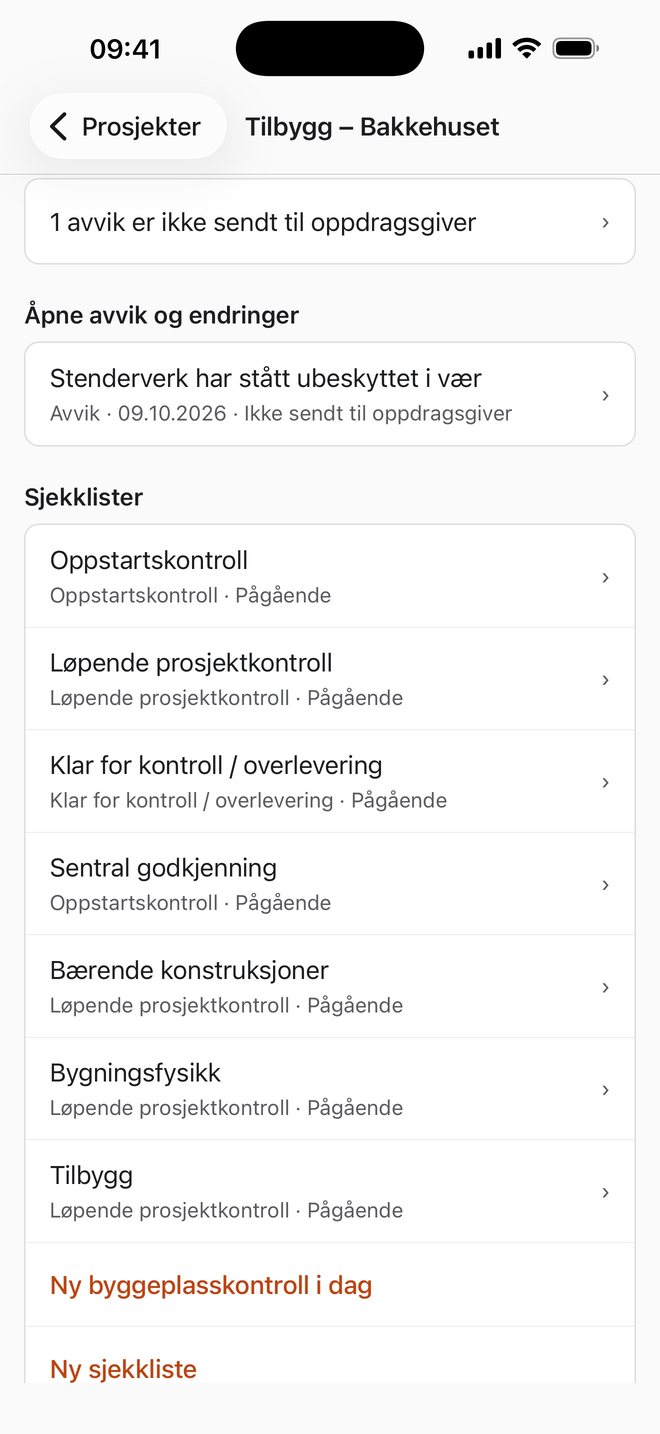
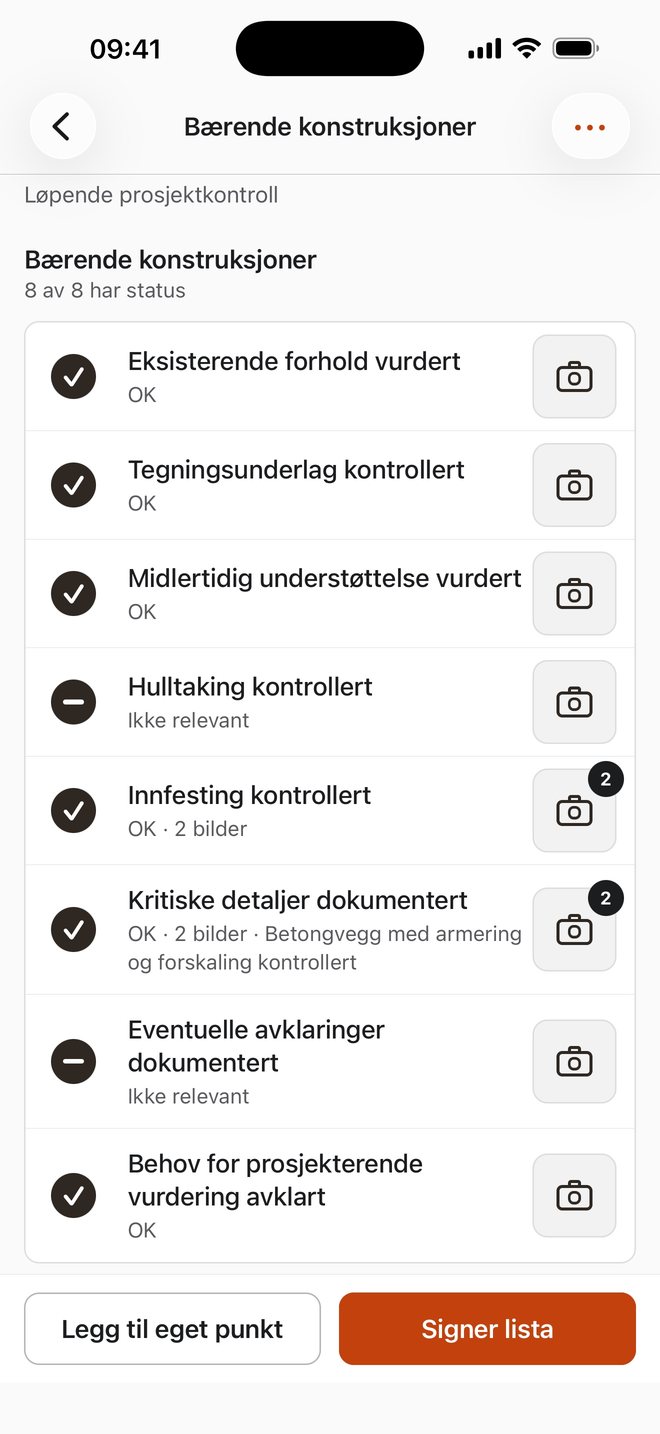
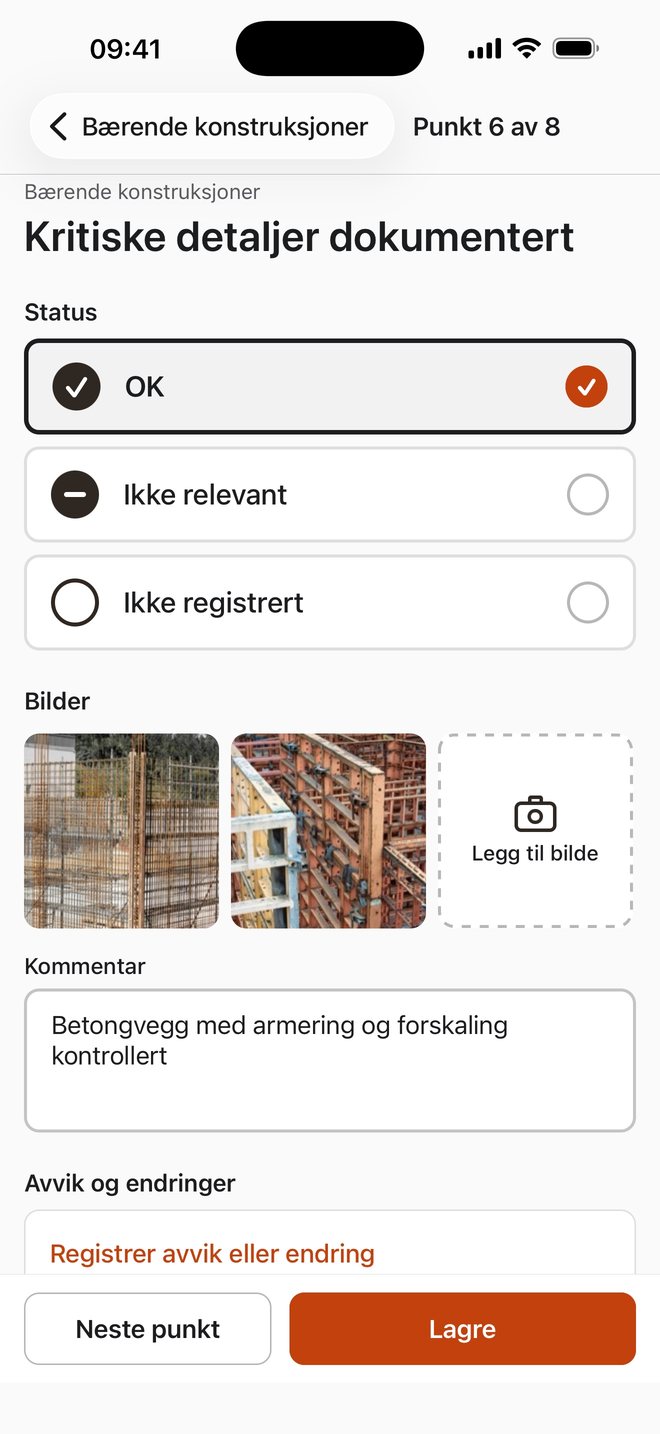
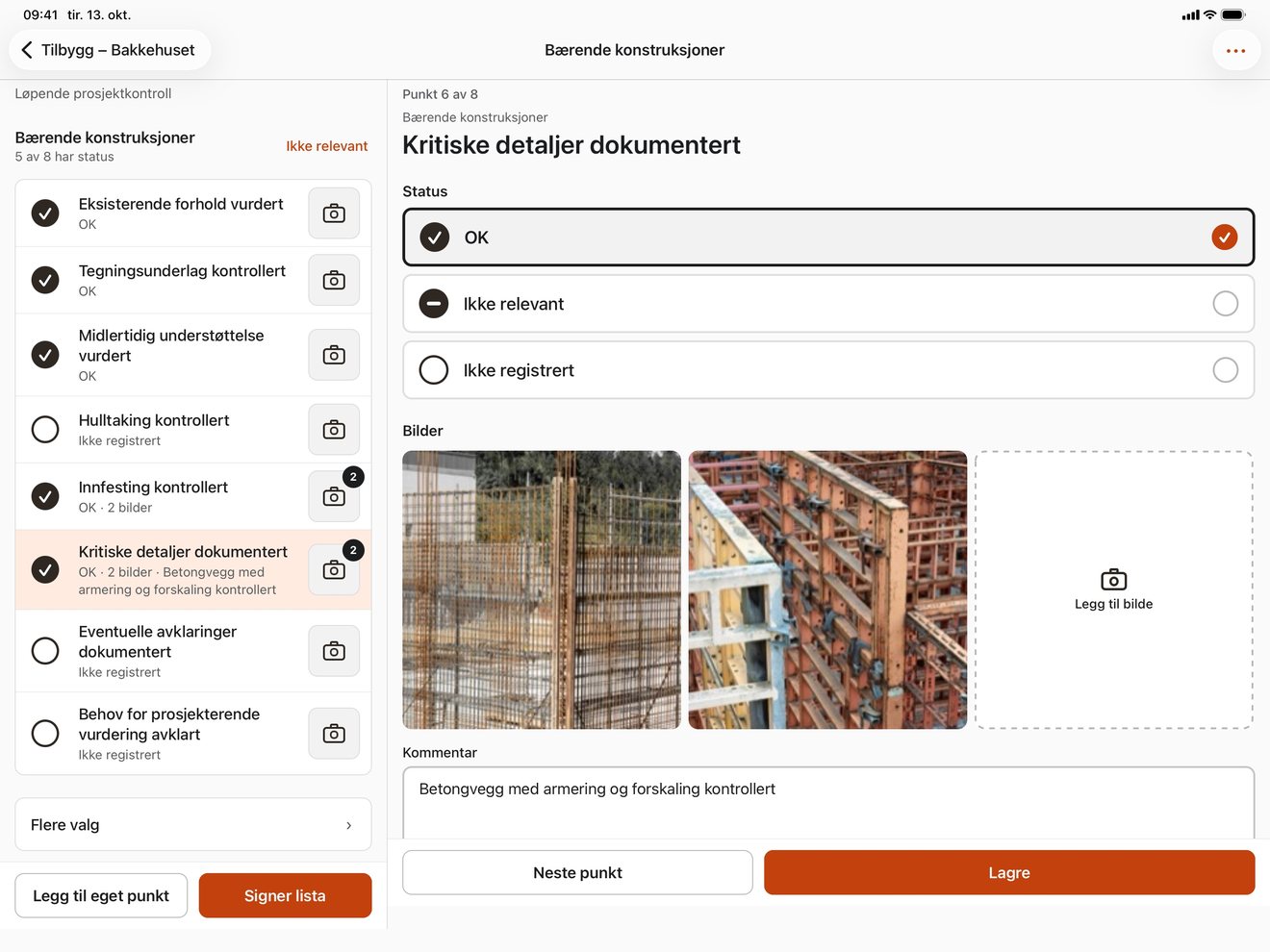
Tap a screenshot to see it full size.
Templates, and the checklists you already have
The standard templates take the building application regulations (SAK10) as the starting point for which points they contain. The trade sheets cover the individual trades. You can hide points that do not apply, add your own, and build the company's own templates.
If the company already has checklists, they can be brought in from Excel (.xlsx), Word (.docx), CSV or pasted text. The file is read on the phone, and the original is left untouched.
QA procedures
The app includes ready-made QA procedures for deviations, changes and documentation. The company reads them, changes what does not fit and adopts them — they are then the company's own. A company with procedures of its own can add them as a PDF instead. The procedures follow behind the project report.
The app judges nothing
Everything in Sjekkbok comes from you. The status of a point is your statement, not the app's. The app computes no share, gives no grade and takes no position on whether the work or the documentation is sufficient.
Professional responsibility rests with the company. The app's job is to remove the writing and keep things in order — not to judge.
Your data stays on your device
Sjekkbok has no account, no server, no analytics and no advertising. Projects are stored in a database on your iPhone or iPad, and photos as files in the app's own storage area. Each photo is saved again from the image itself, without the information about where, when or with which phone it was taken.
Nothing leaves the phone unless you share it yourself — through the share sheet, your own email or your own SMS. The privacy policy goes through this in detail.
iPhone and iPad
The app runs on both. On iPad the checklist and the point sit side by side, and the screen can rotate. It works without a network connection.
Support
Questions, bugs or feature requests: email support@byggjournal.com. Common questions are answered first, if you want the answer straight away.